






Clean & Transform Data at Scale with Secure & Localised AI
WinPure’s data cleansing software is built to help organisations clean and prepare customer, vendor, product and supplier data at scale. No coding or scripting required. No manual effort. Simply import your data and transform millions of records in seconds.
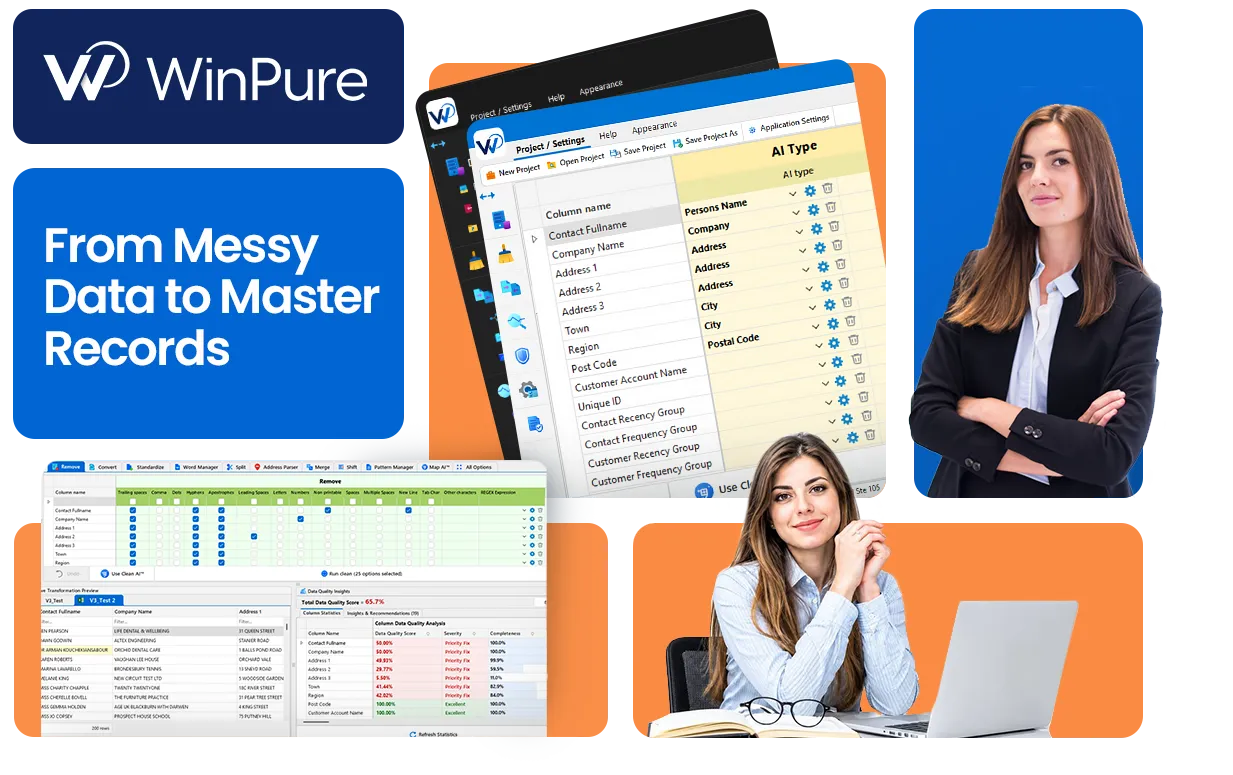
Making Data Cleansing Simple and Scalable in a Secure Environment
Organisational data is complex and inherently flawed. Data sources often have corrupt, messy, or unreliable records that need to be cleansed and transformed before it can be used in a downstream business application. WinPure’s data cleansing software is designed to help companies clean and resolve all kinds of contact and product data sets, across data sources.
With the combination of AI-assisted data cleansing and configurable no-code data cleaning rules, WinPure’s Clean&Match software can clean and standardise millions of records within minutes – without compromising on accuracy or security.

WinPure is the only desktop-first data hygiene tool that pairs rule-based standardisation with localised AI for advanced preparation and transformation. Users have full control over mapping, rule configurations, and project workflows.
Apply AI Data Cleaning with Rules Built Around Your Data
WinPure combines CleanAI™ with configurable cleansing logic and a reusable data library, giving analysts more control over how complex datasets are prepared.

Traditional & Automated Cleaning Modes
Choose how much control you want over each clean run, from manually selecting transformations field by field to letting CleanAI™ prepare and run the cleansing automatically.
- Clean manually when precision matters: Work through the CleanMatrix and select the exact operations you want to apply to each column, including standardisation, parsing, conversion, removal and custom rules.
- Use CleanAI™ for a faster clean: CleanAI™ can work from the dataset profile and live preview to determine how the data should be cleaned, giving you a ready route through the process without manually configuring every option.
- Configure the AI when your standards are specific: Map field types, adjust suggested rules and define how CleanAI™ should interpret your data, then reuse that configuration across future cleansing runs.
Standardise Inconsistent & Messy Data
WinPure’s data scrubbing tools can be applied across a wide range of structured fields to resolve field-by-field data challenges like:
- Names and text fields: Standardise casing, expand abbreviations, and correct common misspellings across name and free-text fields.
- Dates and formats: Normalise inconsistent date, currency, and numeric formats into one standard
- Addresses and contact details: Clean and standardise street, city, and postal fields ahead of verification or matching
- Codes and identifiers: Correct and pad reference numbers, product codes, and other structured fields


Build a Data Reference Library
WinPure’s data cleansing software comes with powerful ‘managers,’ that let you turn your organisation’s data conventions into reusable cleansing logic.
- Pattern Manager: define and apply repeatable patterns for known structures like identifiers, reference numbers and formatted text that are based on your organisation’s data rules. E.g: defining all product columns containing AB1234 to be AB-1234
- Regex Manager: Analysts handling over complex text patterns, allowing them to identify, extract, replace or correct values using reusable regular expressions. E.g standardising phone numbers according to regional formats such as applying brackets to US area codes (converting 212 555 0187 into (212) 555 0187) or standardising UK numbers such as (07700 900123 into +44 7700 900123)
- Word Manager: manages recurring terminology at value level, including corrections, replacements, removals and extraction rules for words and values found across a dataset.
A Quick Step-by-Step Guide to Clean Data Using WinPure’s Clean&Match Platform
WinPure’s data cleansing module is the first part of a complete data quality workflow. From data cleansing to creating a single source of truth, users can do it in one platform, with one workflow.
Connect Data Sources & Import a Copy of the Data
Connect the source you want to work with, whether that is a file, database, or an ERP data source. WinPure imports only a copy of the data into its platform, keeping your original data source intact. Once imported, WinPure’s automated data cleansing tool CleanAI™ reviews the dataset and gives you a quality score detailing columns that need your attention.


Discuss Your Data Cleansing Requirements
Book a demo with our team to walk through your dataset’s unique challenges, where our trained data specialists can show how WinPure can help you clean, transform, and dedupe data without breaking a sweat!
Compare WinPure's Data Cleansing Software with Traditional Approach
| WinPure | Excel / Power Query | SQL | AI / LLM | |
|---|---|---|---|---|
| Best for | Repeatable enterprise data quality workflows | Analyst-led cleansing for limited datasets | Structured database transformations | Ambiguous and unstructured data |
| Technical skill | Low to moderate | Low to moderate | High | Low |
| Standardisation | Built in rules and reusable managers, standardises data at scale | Requires complex formulas and transformation steps | Requires high-level coding and scripting skills | Unreliable, prompt driven |
| Fuzzy matching | Combines standard fuzzy algorithms with WinPure proprietary logic | Limited support for large datasets with duplicate and messy content | Requires custom logic development & can be difficult to scale | Can interpret similiarity but output is hallucinated with limited control |
| Deduplication | Combines fuzzy, exact, and numeric matching for advanced deduplication | Mostly manual or rule based | Requires custom development that is hard to apply on complicated data | Possible, but not purpose built for secure deduplication |
| Custom Libraries | Build custom libraries with word, pattern, and regex managers | No way to build custom libraries for automated data cleansing | No way to build custom libraries for automated data cleansing | No way to build custom libraries for automated data cleansing |
| Repeatability | Designed for recurring processes | Good with saved Power Query workflows | High once coded, but hard to customise and scale | Hard to build repeatability without hallucination risks |
| Auditability | Rules, match decisions and processes can be reviewed | No built-in visiblility | Only if code and changes are under a governance framework | No traceability or auditability that can satisfy compliance |
| Start to End Workflow | Full platform for data quality: start from profiling, end at golden record creation | Task or list based, focuses only on resolving one challenge at a time | Requires separate scripts and processes for profiling, cleansing, matching and master record creation. | Usually focused on a specific task or stage, with additional tools needed to complete the full data quality workflow. |
Where Data Teams Put WinPure’s Cleansing Software to Work

Migration and System Consolidation
Clean and standardise legacy records before they load into a new CRM, ERP, or case management system, so quality problems do not migrate with them.

CRM Data Cleaning
Clean and dedupe CRM contact data, standardise and consolidate fragmented records so your CRM holds one accurate view of every customer. WinPure runs the profile to clean, deduplication to creating master records of your CRM data in one platform.

Vendor and Product Master Data
Normalise supplier names, part numbers, and product descriptions accumulated across years of manual entry and system changes.

Marketing List Hygiene
Remove formatting inconsistencies and junk values from contact lists before they reach campaign or CRM systems.

Analytics and BI Data Preparation
Standardise inconsistent values, formats, categories, and reference fields before data is used to build BI dashboards, reporting models, or analytical workflows.

AI Ready Data Preparation
Clean and structure names, identifiers, categories, and other fields so AI and machine learning systems receive more consistent, usable input data.

Rated as the top data cleansing solution
Independent review platforms and customer feedback from teams using WinPure in production.




What Customers Ask Before Using WinPure’s Data Cleansing Tool
Start a conversation about your data cleansing project.
CRM cleansing project, an ERP deduplication project, or simply a database cleanup – our team of data cleansing specialists will help guide you through what WinPure can deliver and how quickly it can help you achieve your goals.